Tags
Colour-coded tags that live in each page's frontmatter.
Tags are a lightweight way to group pages across workspaces and folders. A tag is a name and a colour: the names are stored in each page's file, and the colours are stored once for the whole project.
Add a tag to a page
Open a page and use the tag control under the title.
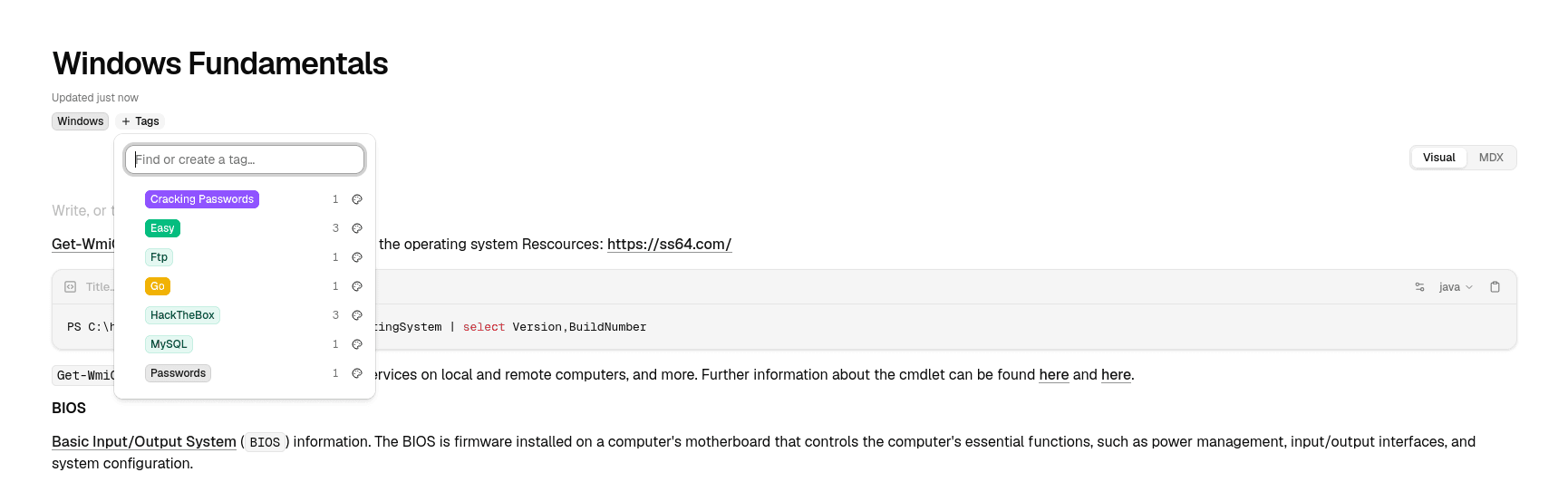
- Type to find an existing tag or create a new one.
- A page can carry up to 20 tags, each up to 40 characters.
- Tags are saved to the page's YAML frontmatter as a
tags:list, so they travel with the file:
---
title: Recon checklist
tags:
  - pentesting
  - web
---
Because tags live in the frontmatter, editing a page's body never disturbs them, and a file you tagged in another editor is recognised when Node reads it.
Colours
Each tag can be shown in a colour, chosen once and then used everywhere that tag appears. The palette covers neutral, violet, green, yellow and red, in light, solid and outline styles. A tag you never colour uses the default neutral badge.
The colour map is saved in data/tags.json inside the project, separate from the pages themselves.
Browse by tag
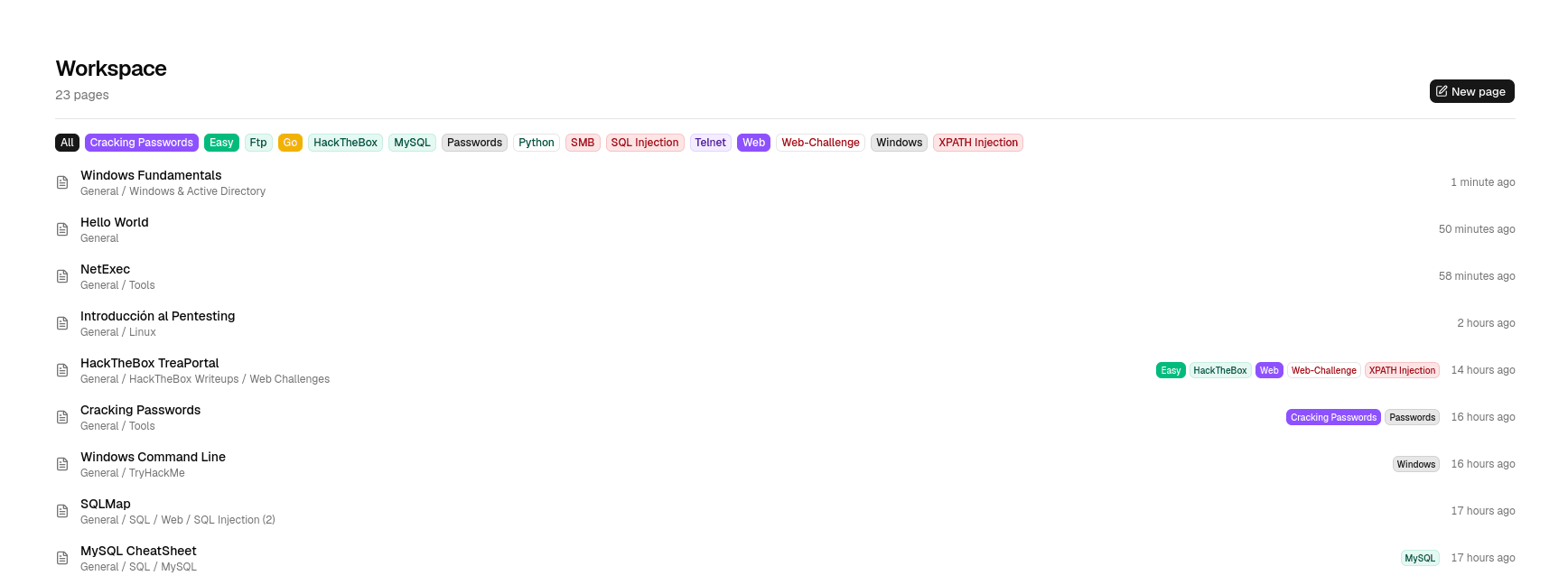
- The sidebar's Tags section lists every tag in use, most-used first.
- Selecting a tag opens All pages filtered to the pages carrying it (
/workspace?tag=<name>). - Search also matches tag names, so typing a tag in the command palette surfaces the pages that use it.
Remove or rename
- Clearing a tag from a page removes it from that page's frontmatter only.
- A tag with no pages left can be removed from the colour list in the tag control; pages are never changed by this.
- Tags have no separate rename: change the name on the pages that use it, or edit the frontmatter.
Where tags are stored
Tag names are in the pages (and so are backed up with them). Tag colours are in data/tags.json.