Tasks
A Kanban board with priorities, due dates and links to your pages.
The Tasks page is a Kanban board with three columns: To Do, In Progress and Done.
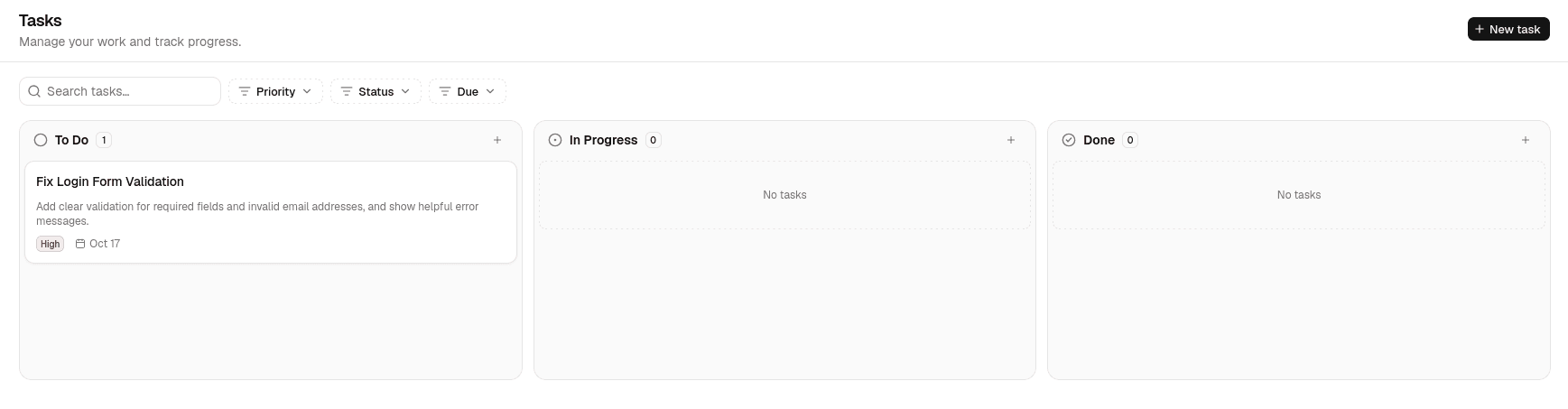
Create a task
Click New task, or run New Task from the command palette.
| Field | Notes |
|---|---|
| Title | Required. |
| Description | Optional. |
| Status | To Do, In Progress or Done. This is the column the card sits in. |
| Priority | None, Low, Medium or High. |
| Due date | A calendar day, with no time attached. |
| Linked page | Optional. Ties the task to one of your pages. |
New tasks are added to the top of their column.
Work with the board
- Drag a card to reorder it or move it to another column. Moving it changes its status.
- Click a card to edit it.
- Use a card's … menu to Edit, Duplicate, Open page (when a page is linked) or Delete.
Search and filters
The search box filters cards by title as you type. The tabs beside it narrow the board further:
| Filter | Shows |
|---|---|
| All | Every task. |
| High priority | Tasks with High priority. |
| Due soon | Unfinished tasks due today or within the next 7 days. |
| Overdue | Unfinished tasks whose due date has passed. |
A task in Done is never treated as overdue.
Linked pages
A linked page appears on the card and can be opened from the task. If you rename or move the page, the link follows it. If the page is deleted, the link is dropped the next time you save the task.
Tasks on the calendar
A task with a due date also appears on that day in the Calendar. It is read-only there; clicking it takes you back to the board.
Tasks are stored in the browser
Tasks are not saved as files. They live in this browser's storage, so they are not shared with other browsers or devices, and clearing site data removes them.